

Accessible Graphic Design is about more than just making something look good. What truly matters is whether everyone can understand and engage with what you create. Whether it’s charts, graphs, illustrations, or other visual elements, accessible design ensures that information is communicated clearly and accurately to all users, including those with disabilities.
Making beautiful designs is only one aspect of visual communication. As a graphic designer, accessibility in graphic design is a crucial aspect to consider.
What is Accessible Graphic Design
Accessible graphic design focuses on creating visuals that everyone can understand and engage with. Colors evoke emotions, feelings, and ideas in a design, and the masterful use of color can enhance how people perceive a brand.
By understanding not only how color influences document design, but also how the right colors, elements, and layouts affect usability for different kinds of people, you can create content that benefits all users and makes your messages clearer and more inclusive.
For example, a financial infographic designed with strong color contrast, clear typography, and distinct visual markers allows people with low vision or color blindness to grasp key data as easily as anyone else. This kind of thoughtful design not only improves accessibility in graphic design but also strengthens communication, ensuring that every viewer can fully understand and trust the information being shared.
Graphic Design Accessibility also extends beyond color and typography. It considers how visuals, icons, and layouts can make complex ideas simpler to understand, helping ensure that no user is excluded from important information.
Accessible graphic design ensures that visuals like images, charts, and layouts can be understood and used by everyone, including people with disabilities. It focuses on clear contrast, readable fonts, and thoughtful structure so no information is lost.
Accessible Design Principles You Need in 2025

As digital experiences evolve, designers must think beyond aesthetics and ensure that every color, font, and layout choice can be understood and used by everyone. Accessible design helps create a more inclusive digital world where visual beauty and usability coexist seamlessly. Here are the key graphic design accessibility guidelines you should focus on in 2025.
Tools like Equally AI help designers create inclusive graphic designs that don’t exclude anyone.
Accessible Color Design

Through color accessibility, people with visual impairments or color vision deficiencies are able to interact with digital experiences much like everyone else. You should have a background-to-text contrast ratio of at least 4.5:1 in order to meet the World Wide Web Consortium’s minimum AA rating.
Be sure to check your contrast ratio when designing things like buttons, cards, and navigation elements. By not relying solely on color to convey information, you can also ensure accessibility. Be sure to incorporate clear messaging or iconography for things like error states, success states, or system warnings.
Accessible Font Design
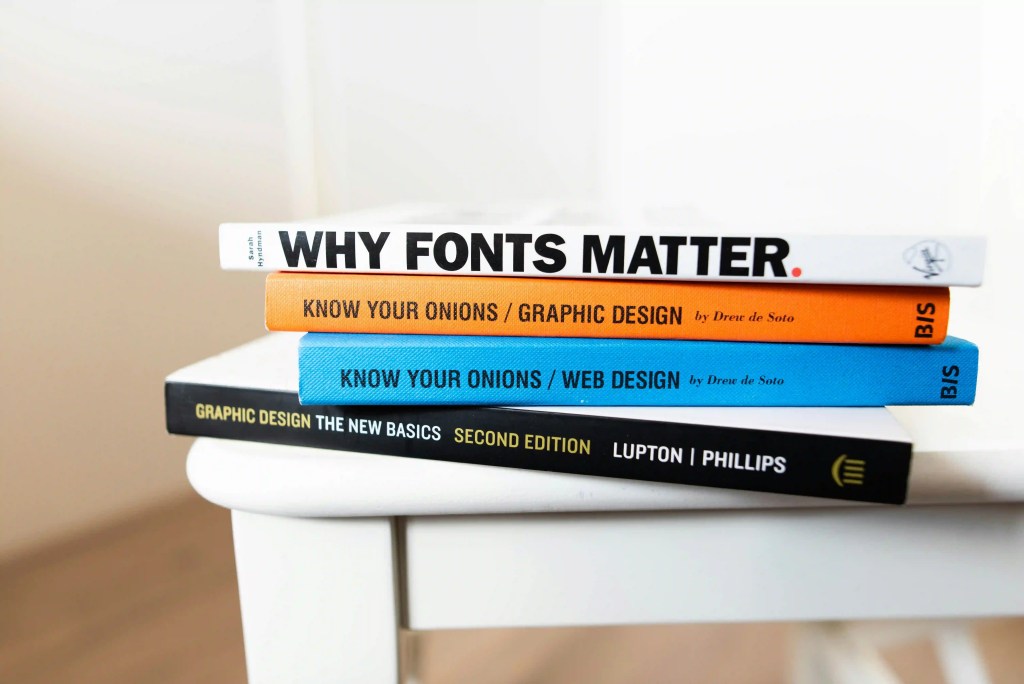
Whenever you design signs or other informational materials that may appear in public settings, thoroughly reviewing the Americans with Disabilities Act Accessibility Guidelines — ADAAG is important. ADAAG provides highly specific standards for font casing, style, and proportions, depending on where they appear.
For example, the type on restroom signs should be sans serif and all uppercase. It should be easy to read the font, and you should be able to distinguish between numbers and characters. Some people have difficulty reading script fonts, for example. Use reasonably sized fonts. For instance, 12 pt and above is decent.
Avoid very lightweight fonts; aim to use medium- or bold-weight type. As a general rule, ensure that words and paragraphs are evenly spaced. Do not split words at the end of lines.
Pro tip: Ensure your PDFs pass the accessibility checker built into Adobe Acrobat.
Accessible Multimedia Design

Ideally, visual communication should convey the majority of the message through videos, images, and other media, with minimal reliance on text or audio transcripts. With accessible design principles, this doesn’t necessarily hold true. When you create a video or motion graphic, ensure that the content is transcribed into text for people using screen readers to appreciate.
Furthermore, the use of closed captions to provide descriptive context is beneficial for an audience with hearing impairment. If you’re sharing your video on social media, consider turning the subtitles on for all your viewers.
Also, ensure that the voiceover artist speaks clearly and that the background music does not make it difficult to hear or understand. All of these elements are essential to make a good accessible graphic design and align with graphic design accessibility best practices.
Accessible Interactive Web Design
When it comes to creating a great user experience in digital environments, there are a number of factors to consider. All great visual communication designers should know the best practices for these kinds of interactive spaces. Here are a few best practices for ensuring accessibility in digital spaces:
- Use accessible HTML, which includes elements that will help your users understand what is on the page, including Alt text, form titles, semantic HTML tags, and descriptive link titles.
- Make sure file names accurately describe the content.
- Provide skip links so the visually impaired can skip over irrelevant content and code.
- Use fonts, multimedia, and color contrast as advised above.
Lastly, web authors and designers should dedicate the time necessary to learn the best practices of accessible design.
Automated Web Accessibility
Accessible graphic design can be created from the ground up, but you can also streamline the process with the right tools and resources. Equally AI can improve your accessible graphic design workflow with just a single line of code. Try out our automated accessibility solution for free, then select the best accessibility solution plan that matches your needs
Want to explore automated accessibility?
Closing Thoughts
Having accessible graphic design on your website makes it easier for your website to be viewed and navigated by a wide audience. By making your website more accessible, you can boost revenue and improve your reputation, since a large segment of prospective customers may not be able to access your site otherwise.

![Read more about the article ADA Tax Credit: Is Your Business Eligible? [+How To Calculate It]](https://blog.equally.ai/wp-content/uploads/2022/11/amol-tyagi-UZFCQPNc4bs-unsplash-1-e1669293398996-300x172.jpg)