

“Many of us have become more comfortable learning visually. Delivering information on a product, service, or company through video can help to keep your audience’s attention longer and make what you have to say more easily understood.” – Savannah Stewart
Video content continues to dominate the digital world. According to recent studies, about 85% of social media users watch videos without sound, making captions and subtitles more essential than ever. Beyond that, many people rely on captions and subtitles due to hearing difficulties or language barriers. When you add accessible elements like captions or subtitles, you open your content to a wider audience.
Not too long ago, captioning was a slow, manual process. Now, newer AI tools make it faster and more accurate. Anyone producing videos, from corporate trainers to YouTube content creators, can benefit from these solutions. In this guide, we’ll explore updated practices for adding captions and subtitles and highlight leading AI-driven tools that simplify this process in 2025.
Captions vs. Subtitles: What's the Difference?
Captions are words displayed on the screen that describes the speech and actions in multimedia content (video or audio) in real-time. Often, they provide relevant information such as the speaker’s name, background sounds, and other sound effects.
Captions may be “open” (always displayed) or “closed (enabled when needed).
Here’s an example of closed captions in effect:
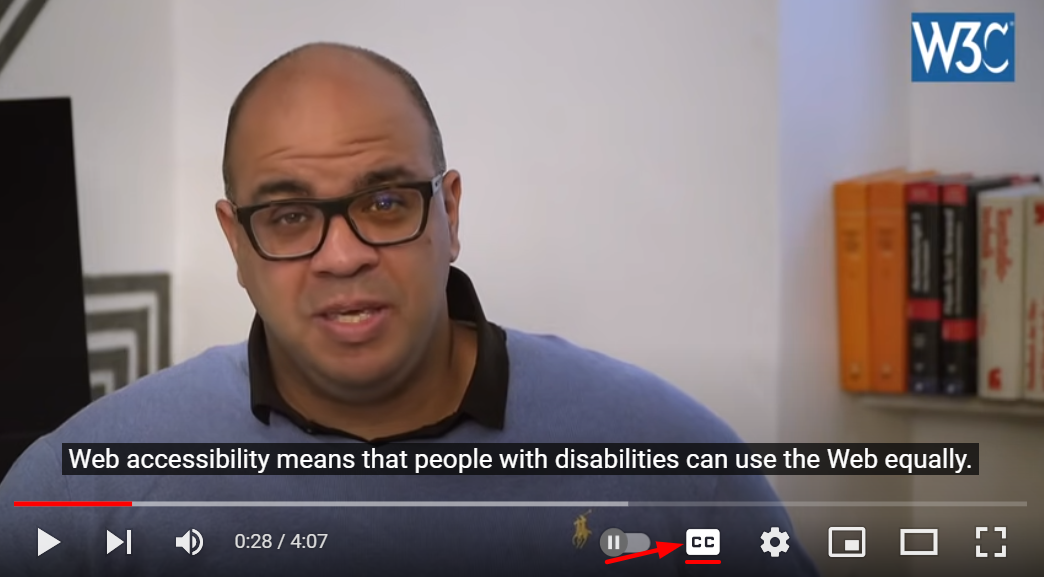
On the other hand, subtitles are translations of the spoken audio into a language the viewer or listener can understand. Unlike captions, subtitles do not include background sounds or sound effects.
In the image below, a closed caption of the dialogue is provided in English as well as a subtitle in French.

Why Video Accessibility Matters More Than Ever in 2025
Video content is the cornerstone of communication in 2025, whether it’s training modules, product demonstrations, or marketing campaigns. But as video consumption grows, so does the expectation—and legal requirement—that content be accessible to everyone, regardless of ability. For businesses, this extends beyond compliance to meeting the demands of an increasingly diverse audience while staying competitive.
Here are several reasons why your video content must be accessible:
1. Accessibility is a right, not a bonus
According to WHO, more than 430 million people worldwide experience disabling hearing loss. Captions are not just a convenience for these individuals, they are a necessity. Accessibility features like captions and audio descriptions ensure that video content is inclusive, enabling everyone to engage fully.
Moreover, global accessibility laws like the Americans with Disabilities Act (ADA), Section 508, and the European Accessibility Act (EAA) require compliance with standards outlined in WCAG 2.2. For example:
- 1.2.2 Captions (Prerecorded) requires captions for all prerecorded audio content in synchronized media.
- 1.2.3 Audio Descriptions or Media Alternative (Prerecorded) focuses on adding textual descriptions for important visual elements not conveyed through dialogue.
- 1.2.4 Captions (Live) requires captions for live-streamed content to make real-time information accessible to everyone.
2. It builds connections and expands global reach
If your business aims to expand internationally, subtitles are a game-changer. They allow you to localize content effectively without producing multiple versions of the same video. By offering multilingual subtitles, you can resonate with audiences across different languages and cultures, creating meaningful connections with a global customer base.
Accessible content also benefits more people than you might think. For instance, captions are invaluable for viewers in noisy or quiet environments, non-native speakers, and even those learning a new language. Essentially, video accessibility aligns with how people consume content today, making your videos practical for real-world use.
3. It improves customer engagement and retention
Accessible videos perform better. Captions and subtitles help viewers understand your message, retain key points, and stay engaged. This is especially critical for businesses using video content to educate, inform, or persuade.
Research shows that videos with captions improve viewer retention and lead to higher interaction rates, such as shares, likes, and comments. For businesses, these metrics translate directly into better marketing ROI, more informed customers, and stronger brand loyalty.
4. It provides added SEO benefits
Accessible videos do more than enhance user experience—they significantly amplify your business’s discoverability. Search engines like Google actively index captions and transcripts, transforming your video content into searchable assets. This indexing ensures your videos can appear in relevant search results, giving you a competitive edge in a crowded digital landscape.
Captions also provide an opportunity to embed strategic keywords naturally, improving your rankings for voice and long-tail searches. When you incorporate subtitles in multiple languages, you extend this advantage globally, allowing your videos to perform across diverse markets. The result? Increased organic traffic, broader audience reach, and higher conversion rates—all driven by an intentional focus on accessibility.
How to Add Captions and Subtitles to Videos
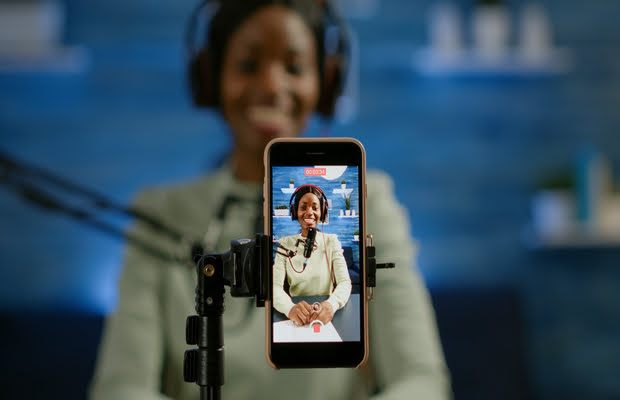
Advancements in technology and software developments have made adding captions and subtitles to your videos a walk in the park. We’ve sorted some of our recommendations into the following categories:
- Video Editing Software
- Online Video Websites
- Social Media Platforms
- Do-It-Yourself (DIY) Transcription
Use a Video Editing Software
Modern video editing tools have transformed how captions and subtitles are added to videos. Whether you’re a small business or a large enterprise, these tools cater to various needs, offering features that combine speed, accuracy, and customization. Here’s a closer look at some excellent options and what their key features:
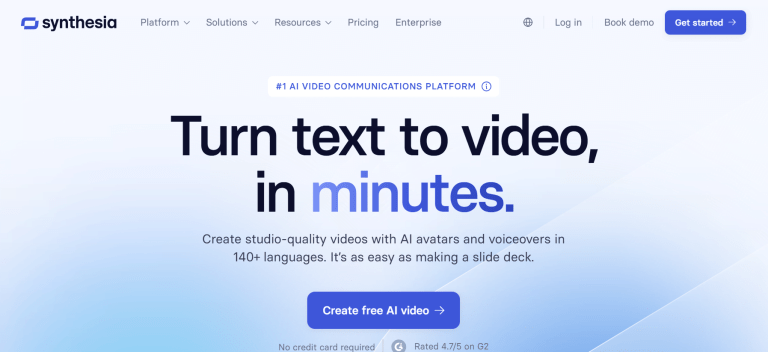
Synthesia is a leading platform for businesses to create professional, accessible videos in multiple languages. Its AI-driven features allow you to generate captions seamlessly alongside custom video content, using realistic AI avatars and voiceovers. This tool is particularly valuable for training materials, product demonstrations, and marketing videos for global audiences.
Key Features:
- Multilingual support with over 130 languages and accents.
- AI avatars for creating video content without requiring a live presenter.
- Integration with tools like PowerPoint and Squarespace for smooth workflows.
- High-level data security with encryption protocols.
Best For: Businesses creating corporate training videos, multilingual marketing content, or e-learning modules.
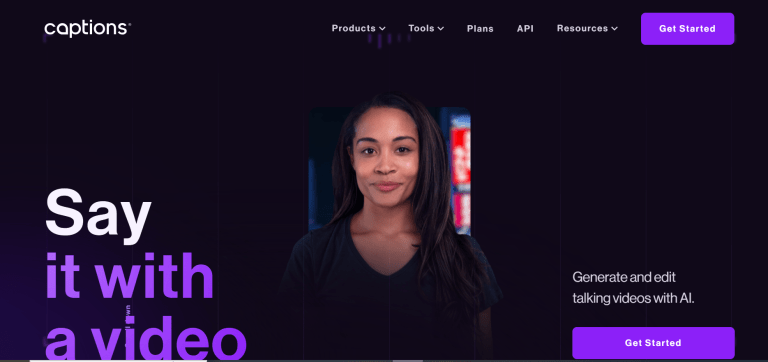
Captions.ai focuses on speed and flexibility, making it a favorite for businesses that value efficiency without compromising on design. This tool uses advanced speech-to-text algorithms to generate captions quickly while offering customization options to align with your brand identity.
Key Features:
- Real-time speech-to-text transcription for precise captions.
- Customizable styles, fonts, and colors for professional branding.
- Seamless integration with other content creation platforms.
- Multilingual support for global accessibility.
Best For: Professionals who need fast, dependable captioning for branded content or global campaigns.

Veed.io combines powerful video editing features with AI-driven subtitle generation. This platform is particularly useful for marketing teams and podcasters, as it includes tools like voice cloning and custom branding. With Veed.io, businesses can create polished, accessible videos while maintaining their unique style.
Key Features:
- Automated caption and subtitle generation with multilingual support.
- Voice cloning and screen recording for enhanced content creation.
- Support for 4K resolution to ensure professional-quality videos.
- Customizable text-to-video options and branded templates.
Best For: Marketing teams, podcasters, and creators seeking a versatile video editing tool with robust accessibility features

Kapwing excels in collaborative environments, offering tools that simplify the captioning process while supporting over 70 languages. Its user-friendly interface makes it easy to generate subtitles and share content directly to social platforms. Kapwing’s customization features also allow businesses to maintain consistent branding across all their videos.
Key Features:
- Text-to-speech and auto-captioning features with editing options.
- Support for 4K resolution and integrations with platforms like GIPHY and Pexels.
- Cloud-based collaboration for teams working on multiple projects.
- Tools for translating video content into multiple languages.
Best For: Teams working on educational or marketing content for diverse, global audiences.
Camtasia has long been a favorite among businesses for creating polished training videos and tutorials. With its built-in captioning features, you can generate and edit subtitles directly within the platform. This AI-powered platform also offers tools for annotations, transitions, and quizzes, making it a comprehensive solution for accessible video production.
Key Features:
- Manual and automated captioning options for flexibility.
- Annotations, quizzes, and visual effects to enhance engagement.
- Wide compatibility with video formats like MP4, MOV, and AVI.
- Integration with Windows and macOS for seamless workflows.
Best For: Companies producing detailed tutorials, training materials, or product walkthroughs.
Leverage Online Video Sharing Websites
Online video-sharing platforms have made it simpler to create, edit, and publish videos with captions and subtitles. These platforms offer built-in tools to simplify the process while ensuring accessibility for diverse audiences.
YouTube and Adobe Express (formerly Adobe Spark) are two leading platforms in this space. Both provide user-friendly features to help your content meet accessibility standards.
As the most popular video platform globally, YouTube offers built-in tools for adding captions and subtitles directly within its Studio interface.
Key Features:
- Automatic captions for supported languages with editing options.
- Manual captioning through .SRT uploads or direct input.
- Live captioning for streams (in English only).
- User-friendly tools to adjust text, timing, and style.
Good to know: While YouTube’s tools are powerful, its automatic captions may be inaccurate with complex audio or heavy accents. As such, it’s best to always review and adjust the text to ensure it truly reflects what’s being said.
Here’s how to add or edit captions on YouTube
- Log in to YouTube Studio and select the video you wish to edit.
- Navigate to the Subtitles section and either review the auto-generated captions or upload your custom .SRT file.
- Use the subtitle editor to fine-tune the text and timing. Ensure your captions are accurate, well-synchronized, and easy for viewers to follow.
Adobe Express offers a range of features tailored for businesses that value creativity and accessibility in equal measure. Its Caption Video tool enables automatic captioning with easy-to-use editing options.
Key Features:
- Automatic caption creation from video audio with editing tools for accuracy.
- Customizable text styles, colors, and shadows to maintain brand consistency.
- Thousands of templates and visual elements to enhance video presentation.
- Direct sharing to platforms like YouTube, Facebook, and Instagram for seamless distribution.
Here’s how to add subtitles on Adobe Express
- Go to the Adobe Express homepage and select Video Quick Actions.
Click Caption Video, upload your video file and choose the language content in the video from the dropdown menu. - Adobe Express will automatically create captions based on the video’s audio, which you can review for accuracy and edit if necessary. You can also customize the font style, size and color to match your brand or design preferences.
- Once satisfied with the results, download your newly captioned video as an MP4 file, or continue editing it to add more design elements.
Add Captions on Social Media Platforms
Social media platforms have integrated captioning tools to make video content more accessible and engaging. These features cater to a diverse audience, including viewers who watch videos on mute, those with hearing impairments, or people in non-native language environments. Here’s how you can use these tools on major social platforms like Facebook, Instagram, and TikTok.
Facebook allows you to generate captions automatically for your videos. With most videos on Facebook watched without sound, captions are essential for maximizing engagement.
How to add Captions on Facebook:
- Upload your video to your page or profile.
- In the video editing menu, navigate to the Captions section.
- Enable the Auto-Generated Captions feature.
- Review the captions for accuracy and edit as needed using the built-in editor.
- Save and publish your video with captions.
Instagram’s built-in captioning tools make it easy to add subtitles to your Stories, Reels, and video posts. Captions boost engagement by catering to users who scroll through their feeds in silent mode.
How to add captions to videos on Instagram:
- For Stories and Reels:
- Record or upload your video in the Instagram app.
- Tap the Stickers icon and select Captions to generate automatic subtitles.
- Review and customize the text, style, and placement to fit your video.
- For Video Posts:
- Upload your video and use external captioning tools like .SRT file uploads before publishing.
TikTok’s automatic captions add subtitles to your short-form videos, ensuring your content is clear and engaging to your viewers.
How to add captions to TikTok videos:
- Record or upload your video in the TikTok app.
During the editing phase, select the Captions option. - TikTok will auto-generate captions based on the audio.
- Review the text for errors and make edits directly in the app.
- Save and publish your video with captions enabled.
Do-It-Yourself Transcription
For creators and businesses seeking complete control over their captions, do-it-yourself (DIY) transcription is a reliable option. While it requires more time and effort, it ensures high accuracy and allows for detailed customization. Here’s how you can approach DIY transcription effectively:
1. Transcribe the video
Start by watching your video and manually typing out the spoken content. Be sure to:
- Include all spoken words, speaker identifiers, and relevant sound cues (e.g., [applause], [laughter]).
- Note timing markers to align the text with the audio.
Tip: Use software like Notepad, Google Docs, or specialized transcription tools to streamline the process.
2. Add Time Codes
Break your transcription into segments and assign time codes to each section to ensure proper synchronization. For example:
0:00 - 0:05: Welcome to our webinar on digital marketing strategies.
0:06 - 0:10: Today, we’ll explore tools and techniques to boost your online presence.
3. Create an .SRT File
Save your transcription as a SubRip Subtitle (.SRT) file, the most widely accepted format for video platforms. Each section should include:
- A sequence number.
- Start and end time codes.
- The text for that time segment.
Here’s an example an .SRT File:
1
00:00:00,000 --> 00:00:05,000
Welcome to our webinar on digital marketing strategies.

2
00:00:05,001 --> 00:00:10,000
Today, we’ll explore tools and techniques to boost your online presence.
4. Upload the File to Your Platform
Once your .SRT file is ready, upload it to your preferred video-sharing platform (e.g., YouTube, Vimeo, or LinkedIn). Most platforms allow you to sync captions automatically with your video, making final adjustments easy.
5. Review and Test
Before publishing, review the captions to ensure:
- They are free of errors.
- The text is synchronized perfectly with the audio.
- They are easy to read and understand.
Tip: Play the video with captions enabled to check for any mismatches or timing issues.
Equally AI’s Role in Your 2025 Accessibility Strategy
As businesses prepare to meet the EAA compliance deadline by June 2025, ensuring accessibility across all digital content is more critical than ever. While captions and subtitles play a key role in making videos accessible, the EAA requires organizations to think bigger. Compliance demands that all aspects of your digital presence—including websites, apps, and multimedia—are accessible to everyone
Here’s how you can prepare for 2025 and beyond:
- Start by adding captions and subtitles to your video content, following the strategies outlined in this guide.
- Expand your focus to include accessibility across your website, apps, and other digital platforms.
- Partner with Equally AI to ensure compliance with the EAA and other accessibility laws, while creating a seamless, inclusive experience for all users.