

If your accessibility audit stops at automation, you’re only halfway there. This guide explains how to combine testing methods, user reviews, and smart planning to meet WCAG 2.2 Level AA standards, reduce non-compliance risks and future-proof user experiences at scale.
Web accessibility audits have become mandatory for regulatory compliance across global markets. The European Accessibility Act (EAA) takes effect in June 2025, putting more pressure on organizations to ensure their digital platforms are accessible to all users, including those with disabilities.
Unfortunately, many business leaders and owners think running an automated scan equals conducting a full accessibility audit. This misconception leaves organizations exposed to compliance violations and user experience failures. In reality, a proper accessibility audit combines automation with manual testing to deliver actionable insights remediation teams can implement.
Want a proper accessibility audit of your site?
Start Your Free Trial With Equally AI
In this guide, we’ll walk through:
- What a proper web accessibility audit involves
- The difference between automated and manual testing
- How to conduct an accessibility audit
- How to write an accessibility audit brief
- Typical audit costs and how to evaluate providers
What Is a Web Accessibility Audit?
A web accessibility audit evaluates how well a website or digital product meets established accessibility standards, primarily the Web Content Accessibility Guidelines (WCAG). It identifies barriers that may prevent people with disabilities from using a site effectively, including those who rely on screen readers, keyboard navigation, or alternative input devices.
The purpose of an accessibility audit is twofold. First, it helps organizations understand their current level of accessibility. Second, it provides a clear path to meeting legal, technical, and user-centered requirements. A proper WCAG audit checks whether a site conforms to accessibility success criteria across different user needs, devices, and assistive technologies.
There are two main types of audits:
- Automated audit: This uses software tools to detect common issues such as missing alt text, color contrast failures, or empty links.
- Manual audit: This involves human testing to evaluate complex usability issues that tools can’t reliably detect, such as form behavior, dynamic content, PDF structure, and logical reading order.
Together, these methods form a complete accessibility audit checklist, ensuring that all barriers, whether visible or hidden, are accounted for and addressed.
How to Conduct an Accessibility Audit: A Step-by-Step Guide
Conducting a thorough web accessibility audit involves more than running a single test. It requires a structured, comprehensive process that combines automated scanning with manual testing, considers user journeys, accounts for different disability types, and aligns with major regulatory standards like WCAG 2.2, the Americans with Disabilities Act (ADA), and the EAA.
Below is a complete checklist to help you properly audit a website for accessibility.
Step 1: Define your audit scope and objectives
Start by identifying what parts of your digital environment will be audited. This could include:
- Core web pages and templates
- Interactive user flows (e.g., login, registration, checkout)
- Mobile versions and responsive views
Downloadable files (e.g., PDFs, videos, etc) - Embedded third-party content (e.g., video players, live chats)
You must also clarify your objectives: Are you aiming for WCAG 2.2 Level A/AA conformance? Or are you preparing for a specific compliance deadline or a procurement requirement like a Voluntary Product Accessibility Template (VPAT)?
Here’s a useful tip: Conduct audits in a staging environment when possible, to validate fixes without risking regressions on your live site.
Step 2: Understand WCAG principles and success criteria
Before running any tests, it’s important to align your efforts with the Web Content Accessibility Guidelines (WCAG). These standards are based on four core principles, known as POUR:
- Perceivable: Information must be presented in ways users can perceive (e.g., text alternatives for images, proper colour contrast).
- Operable: Interface components must be usable by all (e.g., keyboard navigation, sufficient time for tasks).
- Understandable: Information and navigation must be clear and predictable.
- Robust: Content must work across assistive technologies and future platforms.
WCAG 2.2 includes 87 success criteria, categorized across Level A (basic), Level AA (recommended standard), and Level AAA (advanced, often impractical for full sites).
Step 3: Use automated accessibility testing tools
Automated tools are a practical starting point for identifying common accessibility issues at scale. They can quickly scan large portions of your site and flag problems like missing alt text, low color contrast, improper heading structure, and broken ARIA landmarks. This is especially helpful when auditing websites with hundreds or thousands of pages.
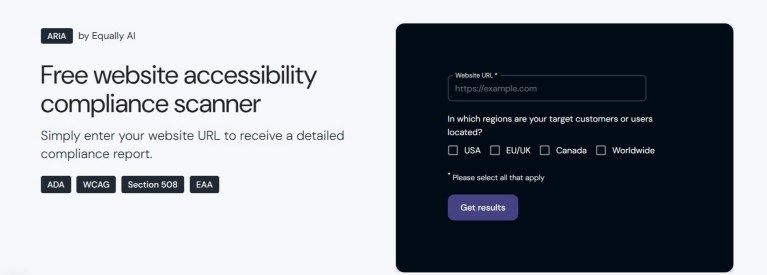
Popular accessibility audit tools include ARIA by Equally AI, WAVE, Google Lighthouse, and Pa11y. However, while these tools are efficient in finding many accessibility issues, they are limited in scope. For example, they can’t detect issues related to semantic structure, screen reader behaviour, or keyboard navigation logic.
That’s why Equally AI goes beyond automation. While ARIA provides fast, scalable scans, Equally AI’s full solution combines those scans with manual expert validation, code-level remediation guidance, and continuous monitoring. This hybrid approach helps businesses address the deeper usability and compliance issues most tools miss.
🔓Use Equally AI: Start a 7-Day Free Trial Now
Step 4: Perform manual testing
Manual testing is essential to identify barriers that automation misses. A thorough manual accessibility audit should include the following (this is not an exhaustive list):
- Keyboard navigation: Test the entire site using only a keyboard to confirm users can access content and interactive elements without a mouse. Ensure that focus is clearly visible and that keyboard users can navigate the site without becoming trapped.
- Screen reader testing: Use screen readers like JAWS or NVDA to verify that they read content in the correct order and with meaningful context. Pay attention to modals, menus, and form interactions.
- Form accessibility: Check that every input has a clear, programmatically associated label, errors are announced and explained clearly, and field focus returns logically during corrections
- Multimedia accessibility: Ensure that all videos have captions, podcasts or audio files have transcripts, and videos with important visuals include audio descriptions.
- Document accessibility: Check that digital documents (PDFs, Word files, Excel spreadsheets, PowerPoint presentations, eBooks, etc) follow a logical reading order. They must also include semantic tags, alt text, and accessible forms.
- Mobile testing: Ensure functionality at 200–400% zoom and across devices. Ensure layouts reflow properly, tap targets are large enough, and navigation works with mobile screen readers like TalkBack and VoiceOver.
- Text spacing and visual adjustments: Confirm layouts remain usable when users adjust spacing or font settings.
Note: Also evaluate third-party plugins like calendars, maps, and social feeds. They often introduce inaccessible elements and may require additional testing or disclaimers.
Step 5: Involve assistive technology users
While not always feasible in every audit, involving people with disabilities who regularly use assistive technologies can reveal issues that automated tools and manual testers might miss.. Even small-scale feedback from real users (through usability testing or feedback forms) can provide critical context into problems with navigation, clarity, and overall experience.
Step 6: Document all findings
As you work through the audit, keep track of all accessibility issues with enough context to support remediation. Prioritize problems based on severity and user impact, and make note of any third-party or out-of-scope elements along the way. This documentation becomes the foundation of your accessibility audit checklist, helping prioritize issues and streamline remediation.
Quick tip: For U.S. companies selling to government entities, consider creating a VPAT (see sample here) based on your audit results. This helps demonstrate accessibility status and legal intent.
What to Include in Your Accessibility Audit Report and Brief
A strong accessibility audit report translates findings into a clear, actionable roadmap for remediation and compliance. Whether you’re conducting the audit in-house or through an external provider, the report must communicate what was tested, what failed, and what needs fixing. This gives developers, designers, and legal teams enough details to act.
At the least, your accessibility audit report should include:
- An executive summary containing a high-level overview of key findings and conformance level (e.g., WCAG 2.2 Level AA).
- The audit scope and methodology, including web pages, templates, user flows, and assistive technologies evaluated.
- A list of the accessibility issues found categorized by severity ratings (e.g. critical, high, medium, or low), based on user impact.
- WCAG success criteria references
- Screenshots or code examples to provide visual context for developers or the remediation team.
- Remediation guidance containing clear, actionable steps tailored to front-end and back-end teams
- A note of all out-of-scope elements as third-party content or archived documents.
- An appendix with a summary of automated vs. manual findings, VPAT alignment, or user testing notes (optional).
The report should be easy to interpret, especially for cross-functional teams including designers, developers, and compliance officers. It may also serve as supporting documentation in the event of a compliance review or legal inquiry.
In cases where you’re outsourcing the audit, it’s essential to prepare a clear audit brief that sets expectations from the start. A well-written brief ensures that providers understand your platform, your users, and your compliance goals.
How to write an accessibility audit brief
A strong accessibility audit brief should include:
- A short description of your website or app (purpose, platform, core users)
- The expected scope of testing (number of pages/templates, user flows, mobile versions, documents)
- Your target compliance level (e.g., WCAG 2.2 Level AA)
Any known accessibility concerns or past audit history - Deliverables expected (e.g., audit report, remediation plan, retest window)
- Timeline and preferred communication process
This brief not only guides your vendor, it also improves the relevance and quality of the audit you’ll receive.
How Much Does An Accessibility Audit Cost?
Accessibility audit costs vary widely depending on the site’s complexity, testing methods, and the expertise level involved. Basic automated audits can start around $500–$2,000. These are usually limited in scope with little or no manual testing and developer support.
More comprehensive audits that include manual testing, document review, screen reader checks, and detailed remediation guidance typically range from $1,500 to $15,000 or more. Larger platforms with dynamic content, multiple templates, or extensive user flows (e.g., e-commerce, SaaS, or public sector sites) often fall at the higher end of that range.
This is where Equally AI sets itself apart.
Starting at just $450/year, Equally AI offers a hybrid solution that brings together automation, expert review, and ongoing monitoring. All customers get:
- Remediation aligned with WCAG, ADA, and EAA
- Manual validation by experts
- A certified accessibility statement from legal professionals
- Routine compliance checks and alert notifications
- Critical source code issue tracking
- A $5,000 legal pledge (or $10,000 on the Ultimate plan)
For businesses with higher traffic or multiple properties, the Ultimate Plan includes a dedicated account manager, a compliance dashboard, white-labeling, 24-hour SLA support, and support for multiple subdomains. (see full pricing options here)
What's Next For Your Team
Accessibility isn’t a one-time fix. It’s an ongoing commitment—and one that’s increasingly required by law. A strong audit process does more than identify violations; it lays the groundwork for digital equity, mitigates legal risk, and improves user experience across the board.
Equally AI is designed for businesses that take that commitment seriously. Our hybrid approach combines automation and expert validation, supported by legal-grade documentation, real-time issue tracking, and responsive support. And with pricing that starts at $38/month, it’s one of the most cost-effective ways to build and sustain compliance without sacrificing functionality or design aesthetics.
If you’re ready to take accessibility from a compliance burden to a business advantage, there’s no better place to start.
Ready To Become
Compliant?
Frequently Asked Questions
A WCAG audit checks a digital product against the Web Content Accessibility Guidelines to ensure content is usable by people with disabilities. It’s crucial for both legal compliance and inclusive design.
To audit a website for accessibility, start by defining your scope, use automated tools for initial scans, and follow up with manual testing for complex elements like forms, PDFs, and keyboard navigation.
Automated audits use software to detect common issues, while manual audits involve expert testers to find context and semantic barriers automation often misses. A complete web accessibility audit process uses both.
Web accessibility audit costs range from $500 for basic automated scans to $15,000+ for in-depth manual audits. Equally AI offers hybrid solutions starting at just $450/year.
A report should contain an executive summary, test scope, issue severity ratings, WCAG mappings, developer screenshots, and clear remediation steps.
Yes. For ADA and EAA compliance, accessibility audits are essential. They form the foundation for identifying non-conformities and implementing effective remediation strategies.